Plamia
A strong set of source files helps viewers identify the people, institutions, places, and events in a story without creating a misleading connection.
The FIFA news-video production used 13 references. The useful lesson is not the file count, but the editorial role assigned to every file.
Separate evidence from illustration.
A reporting source supports a factual claim. A visual reference helps depict a subject. A photograph may identify a person or place, but it rarely proves the full statement being narrated.
Keep those roles separate throughout production. A compelling image is not evidence simply because it matches the topic.
An official record, direct interview, source document, or attributable report.
A portrait, location, map, diagram, or contextual scene.
Match each script line with the right source.
Lock the story angle before collecting images. Mark every named person, organization, place, event, document, and factual claim in the script.
Then decide whether each item needs identification, evidence, explanation, or context. This prevents the edit from relying on one portrait or one generic scene for the entire story.
- Named personCorrect identification
A current, attributable portrait or event image.
- OrganizationInstitutional context
A verified building, document, or official mark.
- Factual claimTraceable support
The source document or reporting record behind the line.
- Wider settingPlace, scale, or consequence
A map, location, crowd, or contextual wide shot.
Keep the source details with the file.
Trace each file back to its original page whenever possible. Search-result previews, reposts, and unlabeled social uploads often remove the context needed for responsible use.
Compare the file with the exact line it will accompany. A real photograph can still mislead when paired with the wrong date, event, or claim.
- OriginOriginal URL, publisher, or creator.
- DatePublication date and the date of the event shown.
- IdentityPerson, place, organization, or document in the frame.
- RightsLicense or permission that covers the intended use.
- EditsKnown cropping, compositing, or manipulation already present.
Choose a small set with real visual range.
Prefer clear subjects, useful resolution, and enough room for a vertical crop. Build variety across people, places, documents, and wider context instead of collecting several near-identical images.
Flags, logos, buildings, and stadiums can establish context, but they do not replace evidence for the claims in the narration.

Person
Identify the central subject.
Institution
Establish an attributable place.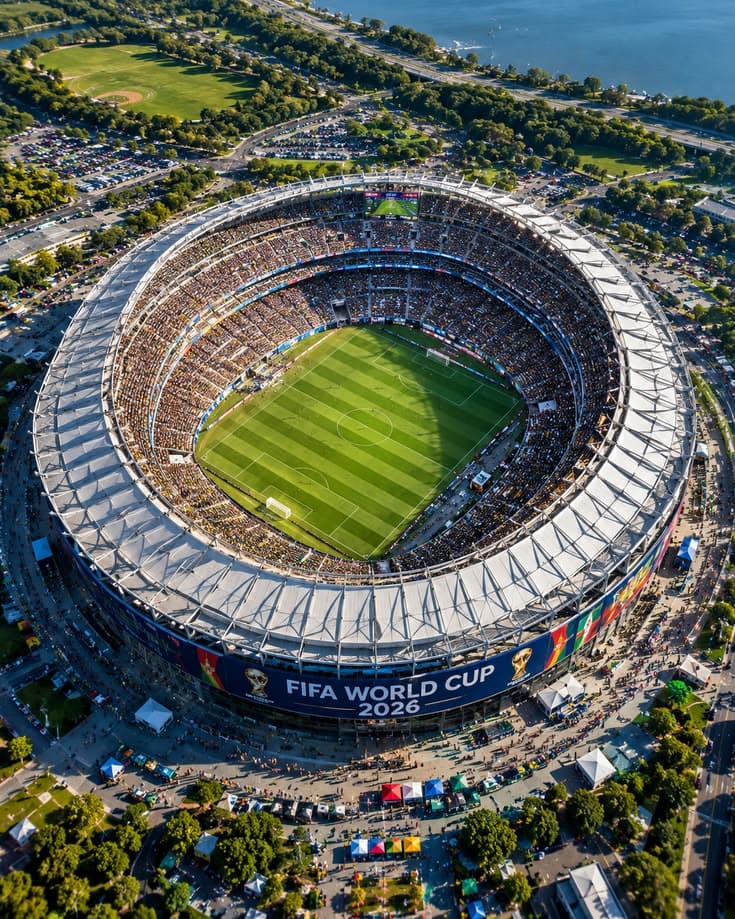
Context
Show scale and subject area.
Object
Identify a named event or competition.
Use generated visuals as illustration, never proof.
Generated imagery can connect ideas with no direct documentary image or create a consistent visual system. It must not imply that a specific event happened exactly as shown.
When a synthetic visual could be mistaken for a real record, change the visual style, label it, or use a sourced alternative.
Create a diagram, neutral background, or clearly illustrative transition.
Do not fabricate a meeting, protest, quotation, or decision as documentary media.
Audit the match between every line and scene.
Keep the source record after publication. It makes corrections faster and gives future editors a reliable starting point.
Once the source set is ready, use the complete script-to-video workflow to create and review the editable video.
This guide discusses an independent Plamia production example. Plamia is not affiliated with or endorsed by FIFA.
- MatchDoes the visual support the exact line being spoken?
- ContextCould an illustrative image be mistaken for evidence?
- IdentityAre names, flags, logos, and locations correctly identified?
- CropDoes the frame preserve the information needed to understand the image?
- RightsCan every source file be published under its license or permission?